Cách tôi xây dựng một trang đăng ký mà không có kinh nghiệm lập trình

We faced a real challenge: we were losing potential partner stores because our registration process didn’t fit their behavior and I couldn’t wait for the tech team to fix it. With no background in web development, I decided to build a new store registration page myself.
Here’s how it happened.
The Problem: An Outdated Registration Flow
Our app previously focused on acquiring users through message based advertising. Partner stores could only register by clicking a link in those messages and going through the in app sign up flow. This came with several issues:
The form had language bugs
We couldn’t track lead sources
Many stores didn’t want to share personal info via social platforms
The Solution: Build It Myself
Since I was managing the marketing campaign, I took matters into my own hands. I decided to create a separate landing page on our marketing subdomain:
👉 https://welcome.deliveryk.com/tro-thanh-doi-tac/dang-ky-cua-hang/
First: Using Existing Tools
The web page was hosted on Mona’s system - a web design agency, so I tried using the free version of Elementor to design the registration form. However:
Elementor Free lacked the advanced customization I needed.
The site experienced plugin conflicts, which caused the page to go offline for several hours.
'Plan B': Build a Fresh WordPress Page
I decided to build a new page from scratch on WordPress. This gave me full control over:
Layout and messaging
Form fields
Lead tracking
Integration with Google Sheets for data collection
Tools I Used
Forminator: A no-code form builder that allowed me to create a clean, responsive registration form without needing to write a single line of code.
Google Sheets Integration: I connected the form to a Google Sheet using built-in features and add-ons, making it easy to track leads in real time.
Photoshop: I created two versions of design blocks optimized for desktop, mobile and tablet that included clear explanations, image illustrations, and partner benefits to build trust and increase conversion.

Tôi đã sử dụng AI để tạo ra HTML/CSS cho một nút “Tìm hiểu thêm” tương tác. Hiệu ứng hover bao gồm một chuyển tiếp gradient mượt mà và các góc bo tròn, khiến nó vừa nổi bật vừa dễ tiếp cận.
The result?
This DIY solution delivered huge benefits:
Higher form completions
Trackable data
Zero dev time needed. Flexibility to update and improve the form whenever needed
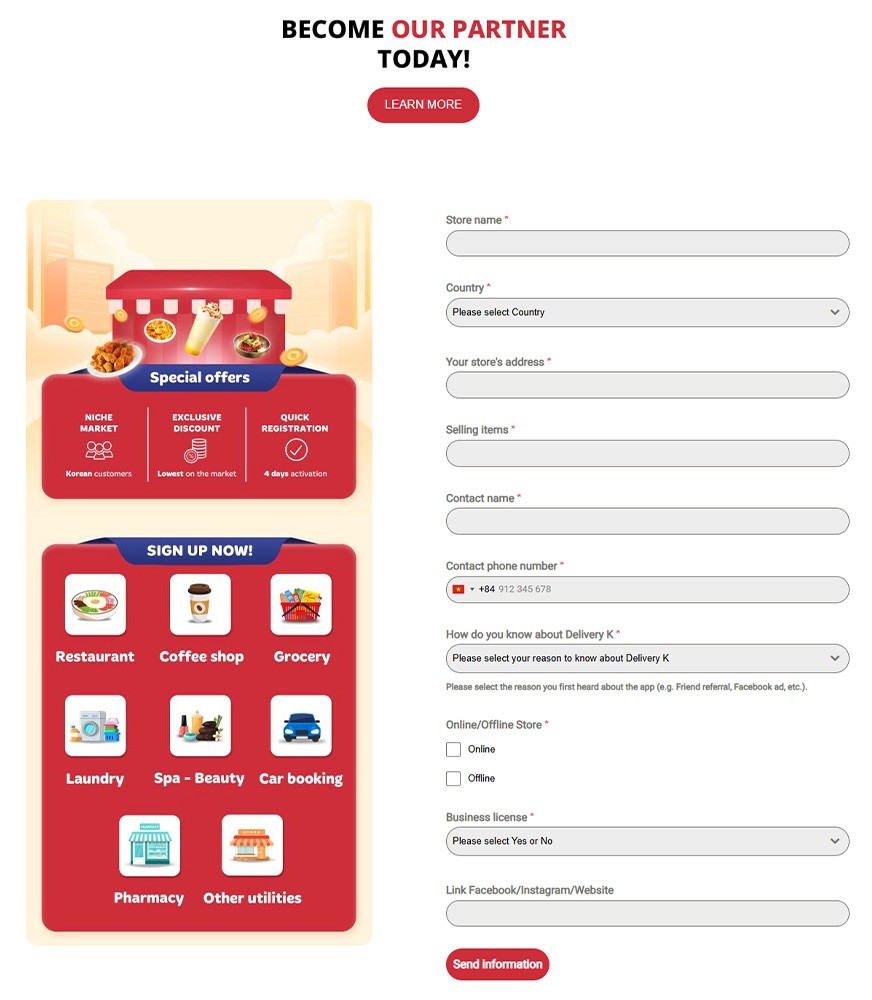

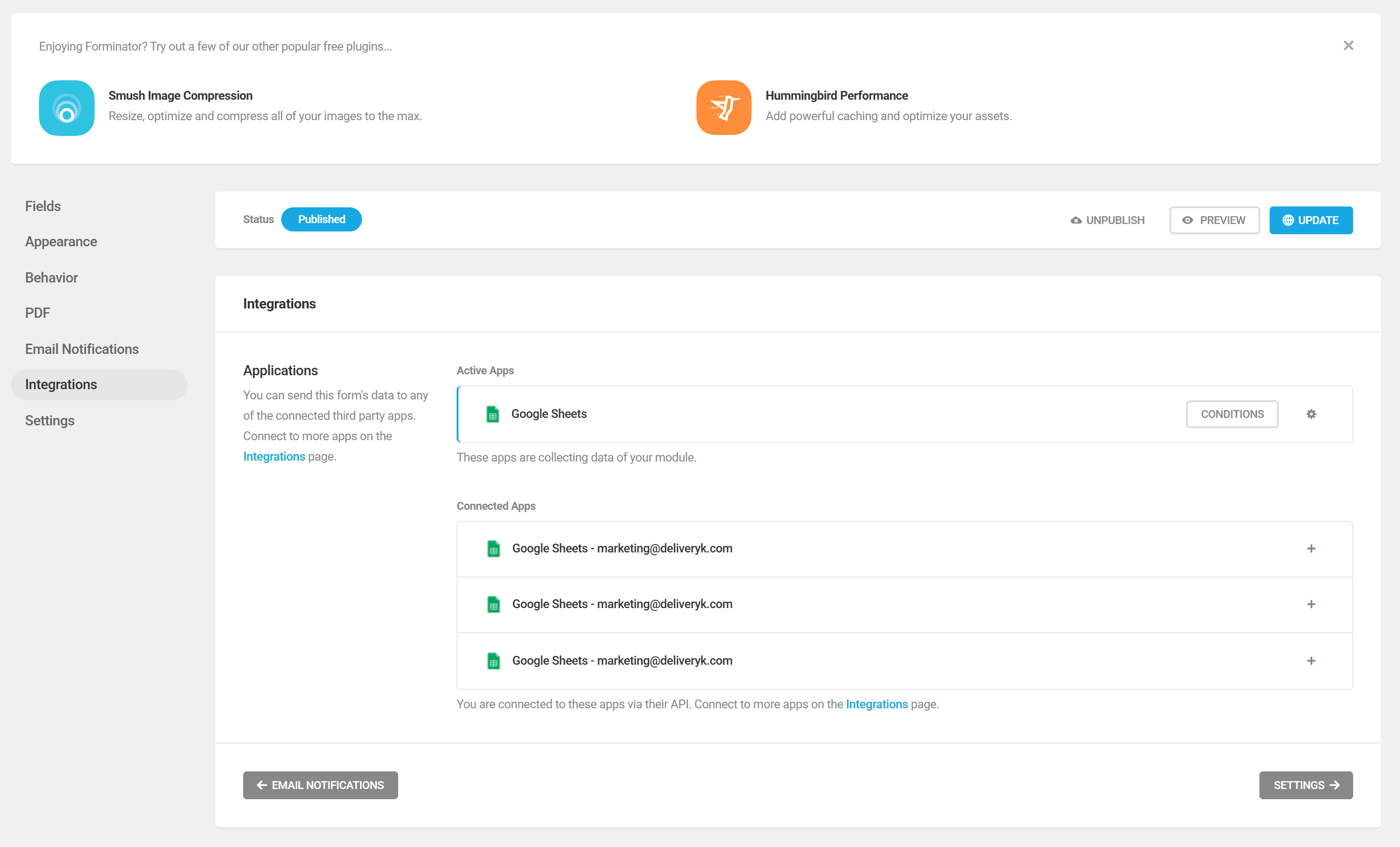
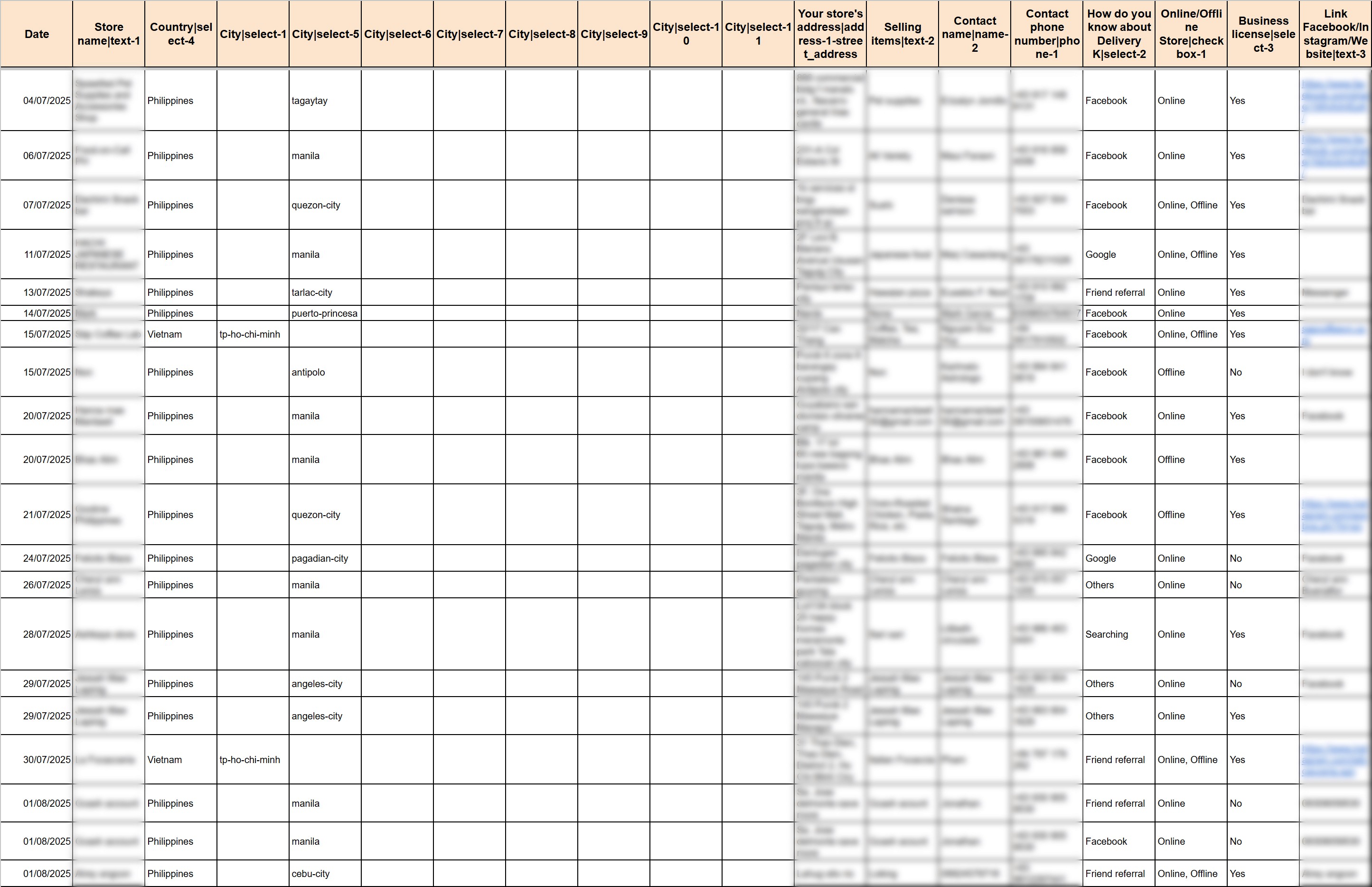
Building this form allowed me to quickly launch a store registration campaign without relying on development timelines. It helped us reach more potential partners, especially those who prefer simple online forms and brought in more leads for the sales team to follow up.
It wasn’t perfect, but it worked and that made a real difference.
Next, to securely handle the information and keep it in sync with our sales team’s internal file, here’s what I do:
Once the data from Forminator lands in the source Google Sheet, I set up an automated workflow to pass it over to the sales team’s internal sheet.
Along the way, I encrypt sensitive details, only pull in brand-new entries to avoid duplicates, and make sure everything updates in real time.
I’ll walk you through exactly how I set up this sync process in the next article.
